



 10 minutes to read
2026-06-30
Aziz Osman
EO Broker Account Blocked or Restricted: Exact Causes, Recovery Timeline, and Prevention
If your EO Broker account has been blocked or restricted, it is almost always frustrating. Usually, the issue appears at the worst possible time — when you need to withdraw funds, log in from a new device, or check your account status.
The good news is that in most cases, there is a clear reason behind it. And if you handle it calmly and step by step, the issue can usually be resolved without unnecessary stress.
In this article, we will look at the difference between a blocked and a restricted account, why this can happen, what documents may be required, and how to reduce the chance of it happening again.

Restricted vs. blocked
People often use these two terms as if they mean the same thing, but they describe different situations.
A restricted account usually still works partially. For example, you may be able to log in and see your balance, but you cannot withdraw funds or complete certain actions. In most cases, this happens because identity verification has not been finished.
A blocked account is a more serious case. You may not be able to log in at all, and the issue usually requires support review. The cause may be suspicious activity or a security check.
The difference matters because the solution is different in each case. One situation may be resolved by completing verification in your dashboard, while the other may require waiting for support to review what triggered the block.
Why an account can be restricted
There are several common reasons why an account may be flagged for review.
The first and most common one is incomplete KYC verification. Many users deposit funds and even start trading before they try to withdraw. Then, at the withdrawal stage, the platform requests documents that according to the compliance rules are needed before funds can be released.
Another reason is a mismatch in payment details. If the deposit was made using a card, wallet, or another payment method that is not registered in the account holder’s name, this can trigger an automatic review.
A third reason is unusual login activity. For example, logging in from a new device, a different country, or several IP addresses in a short period of time. In these cases, the security system may temporarily restrict access to protect the account.
A fourth reason is expired documents. This is especially common with proof of address. If a document is older than the allowed period, the system may ask for an updated version.
What documents may be needed
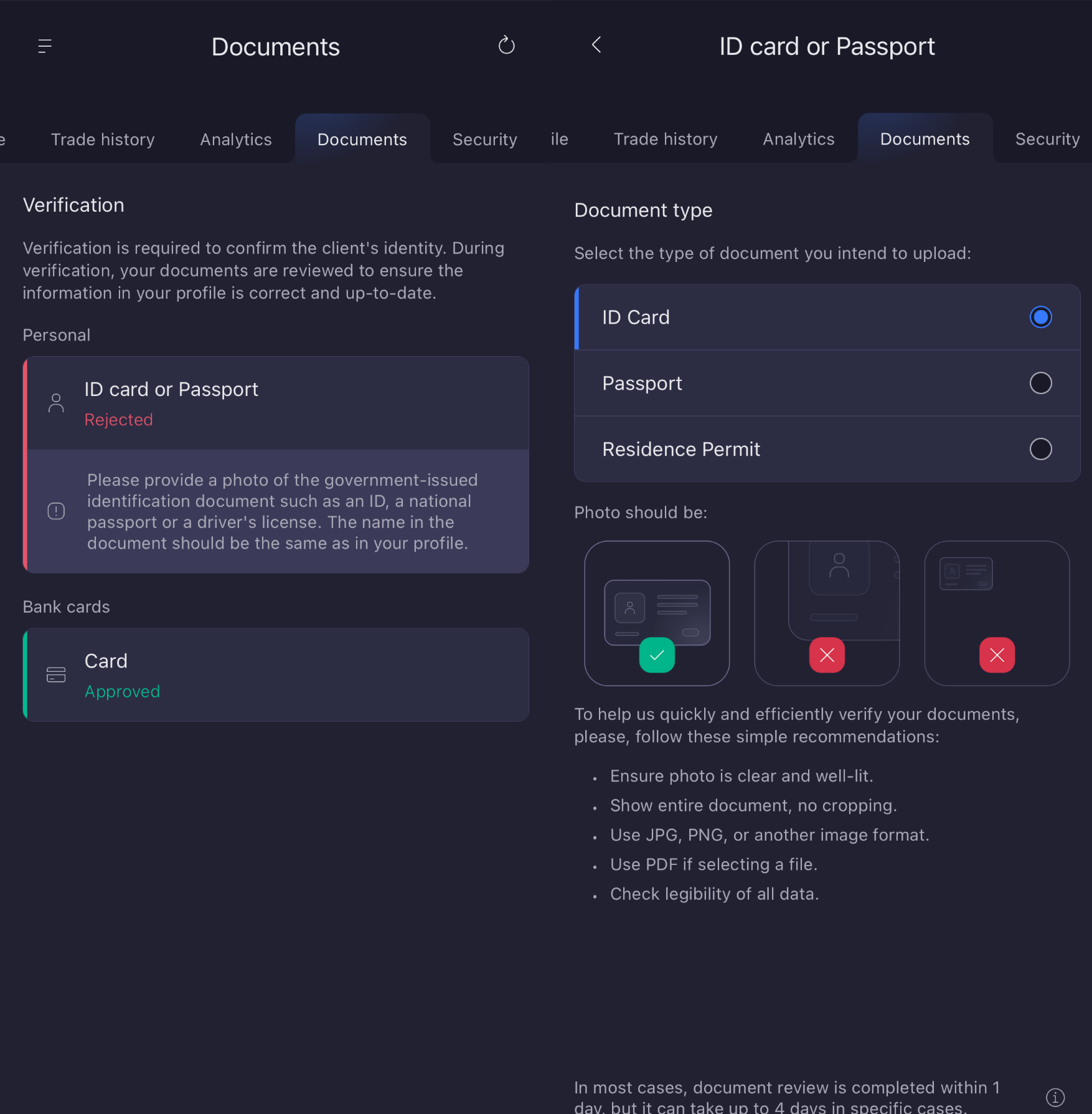
If your account is restricted due to a verification check, you will usually be asked to provide a standard set of documents.
Most often, you will need an identity document. This can be a passport, national ID card, or driver’s license, depending on your country. The document should be clear, readable, and not expired.
You may also need proof of address. This can be a utility bill, bank statement, or official letter that shows your name and address. In most cases, the document must be recent.
If the system requests payment method verification, it is best to send the exact type of document that matches your deposit method. For example, this may be a photo of the card or a screenshot of your e-wallet details.
In many cases, applications are rejected not because of the document itself, but because of file quality: blurry photos, cropped edges, wrong format, or a document that no longer meets the requirements.
How long it takes
The time needed to resolve the issue depends on the reason for the restriction. In some cases, it can be solved quite quickly, especially if it is a simple identity check or login confirmation.
However, if there are mismatched details, disputed transactions, or extra security checks, the process may take longer. In that case, it is better not to submit the same documents repeatedly without first checking the rejection reason carefully.
If a document was rejected, correct the specific issue mentioned by the system and then upload it again. Resubmitting the same file usually only delays the process.
How to contact support properly
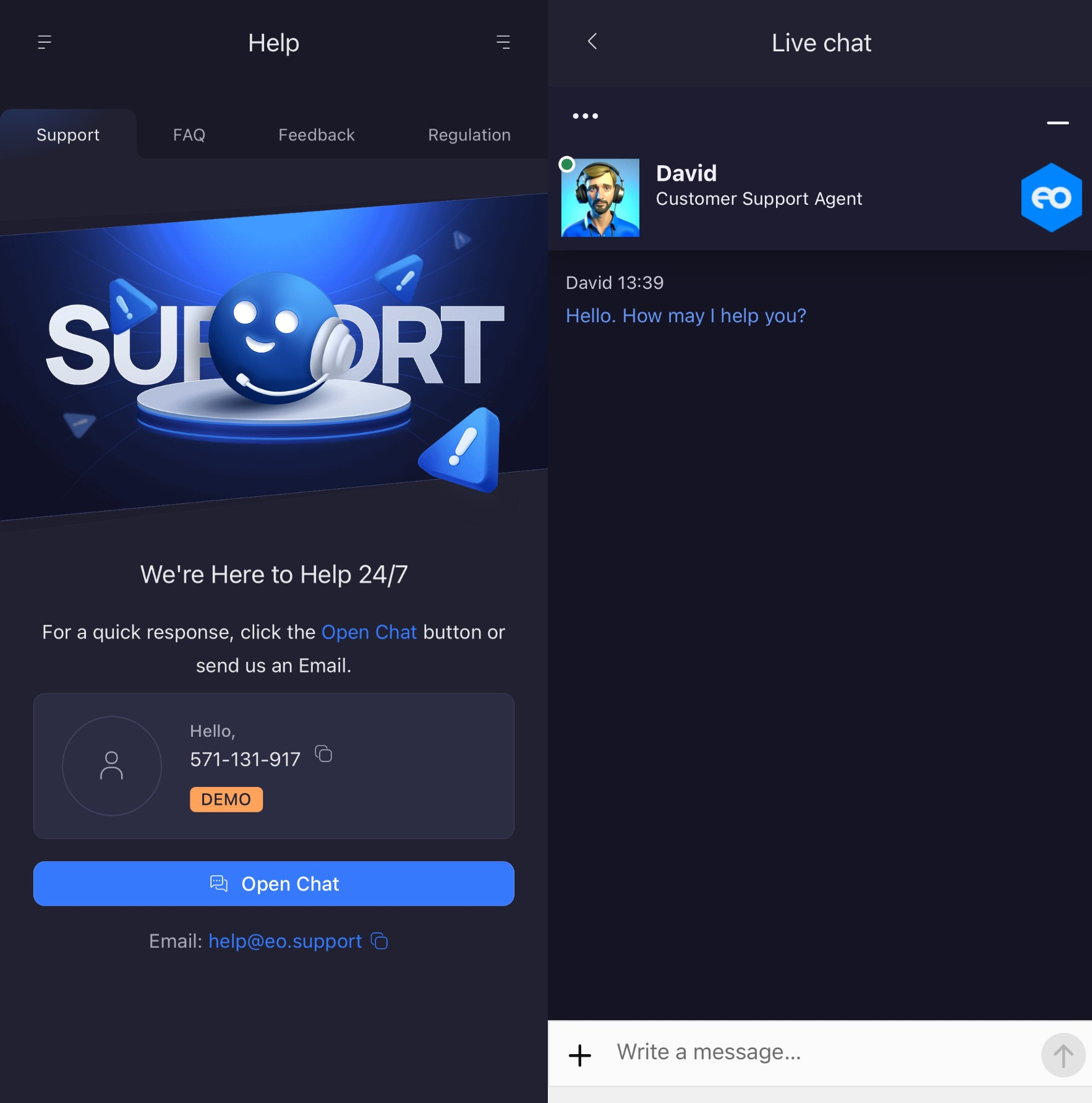
If you need to contact support, it is best to include as much useful information as possible right away. This makes processing faster and reduces the number of back-and-forth messages.
Your message should include:
- your account ID or registered email
- what exactly is not working
- when you first noticed the issue
- what you were doing right before it happened
- whether there is an error message or code
- whether you have already submitted documents, and when
A short message like “my account is blocked, please help” usually slows things down. The clearer your explanation, the easier it is for the support team to understand what happened.
What happens to your funds
If your account is restricted, it does not mean your funds have disappeared or are lost. In most cases, the issue is a verification or access control measure rather than a problem with your balance.
Usually, the money stays in the account and becomes available again once the issue is resolved. The exception is a dispute-related case, where the payment system may place a hold on the funds while the dispute is being reviewed.
If you are unsure, it is better to ask support for written confirmation of your account status. That is much safer and more effective than trying to resolve the issue through unofficial channels or your bank.
How to reduce the risk in the future
The easiest way to avoid this kind of issue is to prepare your account in advance instead of waiting until the moment you need to withdraw money.
It is a good idea to complete identity verification right after registration. That way, if you need to withdraw later, you will not lose time on urgent verification.
It also helps to use payment methods that are registered in your own name and avoid changing them unless necessary. The more consistent your account details are, the fewer reasons the system has to trigger an extra check.
Another useful step is to enable two-factor authentication if it is available. This reduces the risk of suspicious activity and makes your account more secure.
What to remember
A blocked or restricted account is not always a serious problem. Most of the time, it is simply a signal that the system needs to confirm your details or review your activity.
If you stay calm, read the notifications carefully, and submit the correct documents, most of these cases can be resolved in a predictable way. And if you complete verification early and keep your account details up to date, the chance of running into the issue again becomes much lower.
FAQ
Can I trade on EO Broker if my account is restricted?
Sometimes yes, if the restriction applies only to withdrawals. But if it is a security block, access may be fully limited.
Why are documents rejected by EO Broker?
Usually because of photo quality, a name mismatch, an expired document, or the wrong file format.
Should I contact support immediately?
Yes, if the dashboard does not show a clear reason for the restriction or if the issue is not solved by uploading documents.
Can I avoid repeated verification on EO Broker?
Partly yes. To reduce the chance of it happening again, use up-to-date documents, stable payment methods, and secure account access.
Latest Posts
Trading Education
Trading News
Trading Strategies
Promotions & Tournaments
Success Stories & Tips
Platform Updates
Global events, stocks, crypto, forex